Properties form
Content may include inaccuracies, outdated information, or technical errors. Users are advised to cross-check critical information before implementation.
The properties form in the panel on the right shows the whole selected object: its name, the attributes of its type and the objects it is joined to. The panel follows the selection on a diagram, in a table and in the model explorer.
What the form holds
The form is built from the type of the object, so an element, a relationship, a diagram and a model each get a different one. Properties are grouped.
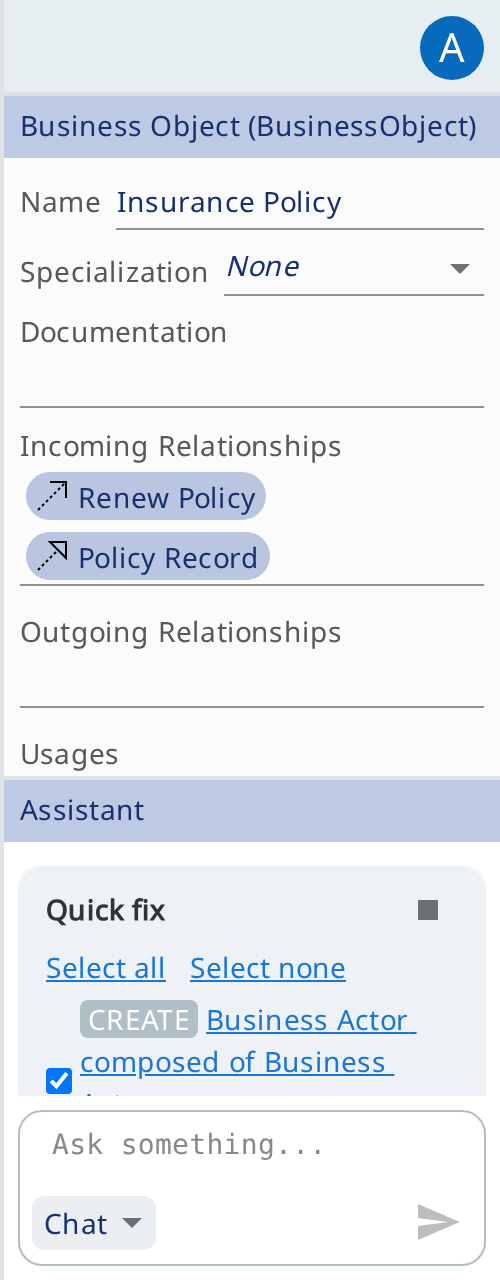
The form of an element holds:
- Name;
- the attributes its type defines, each with its own control;
- lists of related objects - incoming and outgoing relationships, the diagrams the element appears on;
- the group Properties for key-value pairs, where the notation supports them.
Editing values
Type a value into a field and the model is updated. The change is immediately visible in the model explorer, on the diagrams with that element and to the other members.
A field is read-only in two cases: the notation computes the value, or you have no write access. In Properties, a new key adds a property and an emptied value removes it.
References to other objects
Some fields hold references to other objects rather than values: the source and target of a relationship, the relationships of an element, the diagrams it appears on.
Click a reference to go to the object. If the object is on the open diagram, the diagram selects it; if it is not, a diagram with it opens; an object that is on no diagram is selected in the model explorer. The panel then shows its properties, and the references can be followed further.
To change what a reference points at, pick a value from the list of candidates or drag an element from the model explorer onto the field. A field with several values takes several elements at once. When a reference owns what it points at, clearing it asks for confirmation first: the object goes with the reference.