Share a Model
Copy the link from the address bar, or use Share diagram in the diagram toolbar, and send the link to your colleague.
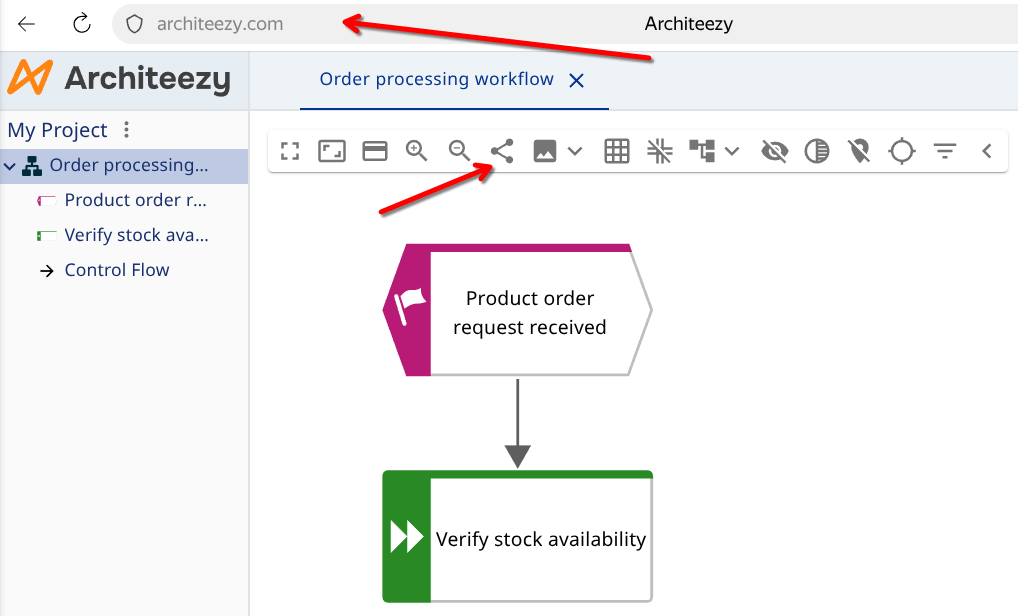
They have to sign in first:

Then they request project membership:

Opening the link again does not create a second request.
Pending requests are counted on your avatar in the top bar. Open the user menu, choose Membership requests, and approve or reject each one.
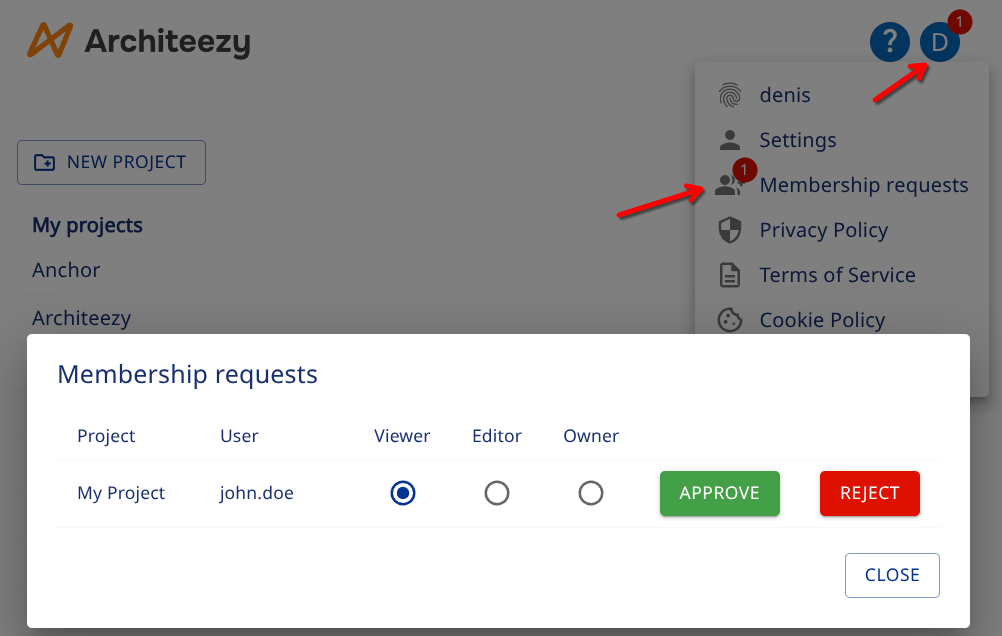
Approving a request grants a role:
- Viewer - can open the project and read its models
- Editor - can create, edit and delete models
- Owner - can additionally manage who has access