Create a Model
Choose New model in the project's context menu:
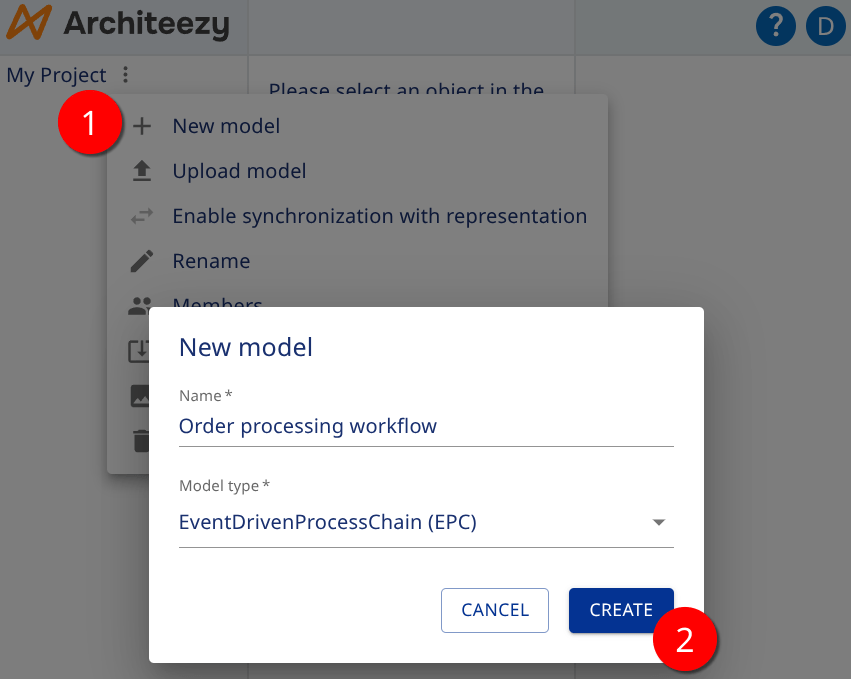
Enter a Name.
Select a Model type.
Click Create.
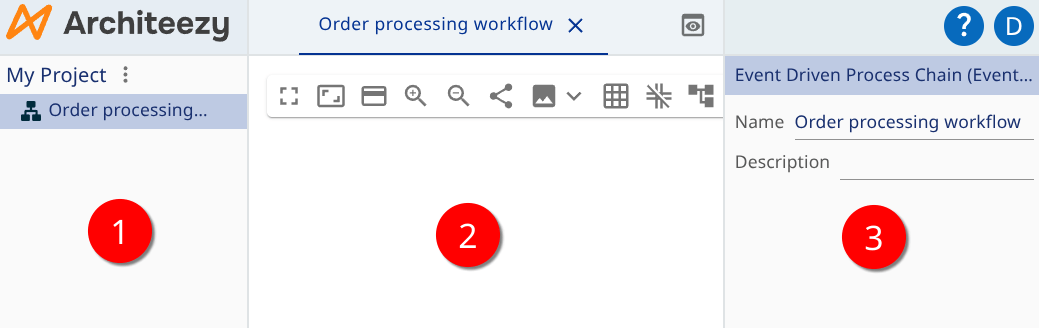
After that:
- The new model appears in the model explorer on the left
- Its default representation opens in the center
- The model properties are editable on the right