IT Infrastructure
Content may include inaccuracies, outdated information, or technical errors. Users are advised to cross-check critical information before implementation.
The notation describes the technical environment of a system: sites and networks, servers and storage, platforms, application software and configuration.
Create the model
Open the project menu and choose New model. Enter the name Online Store
and the type IT Infrastructure, then click Create.
The model explorer shows the topology root and the first diagram. Rename the
diagram to Production and open it.
Location and networks
Create from the palette:
- Region
eu-central, and inside it Availability Zoneeu-central-a; - Virtual Network
corewith CIDR10.0.0.0/16inside the zone; - two Subnet elements inside the network:
public(10.0.1.0/24) andprivate(10.0.2.0/24).
Draw Composition from the region to the zone and from core to each subnet.
No line is drawn between nested elements - the nesting shows the relationship -
but the relationship is in the model and appears in the form of both elements.
Machines and platform
In the private subnet create a Virtual Machine app-01 with Hostname
app-01.store.internal. Nest inside it:
- Processing Unit: Type
CPU, Count4, Memory16GiB; - Disk: Size
200GiB.
Draw Composition from the machine to each of them.
Create Operating System Ubuntu 24.04 and Container Engine Docker.
Draw Assignment from app-01 to the operating system and from it to the
container engine.
Application software
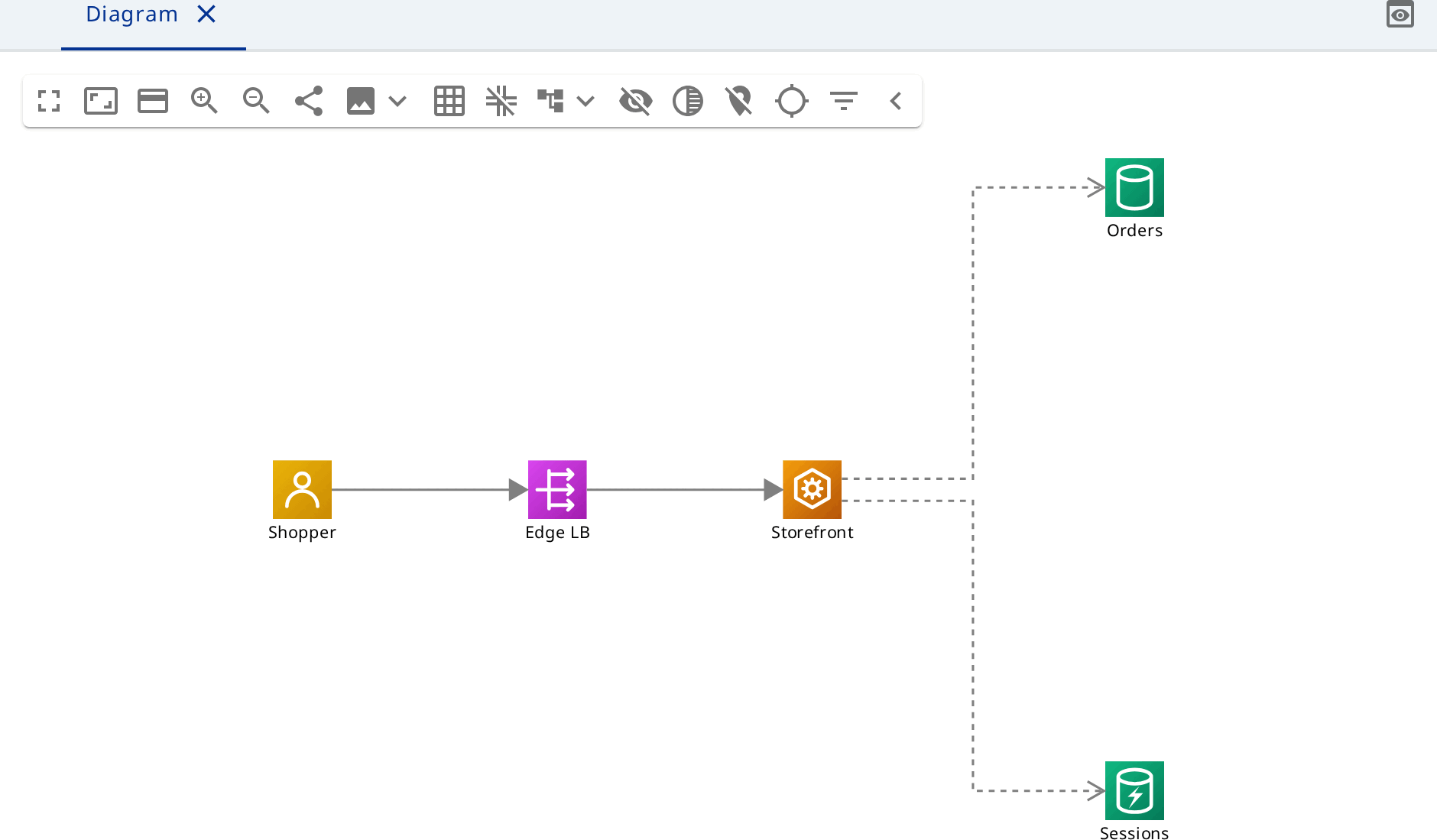
Create Service Storefront with Ports 8080, Database Orders
with Ports 5432, Cache Sessions, Object Storage Product images
and Load Balancer Edge LB in the public subnet.
Draw Assignment from Docker to Storefront and three Usage
relationships from Storefront to Orders, Sessions and Product images.
For access from outside, create an Actor Shopper next to a Public
Network Internet and draw Flow from Shopper to Edge LB and from
Edge LB to Storefront.
Configuration
- DNS Zone
store.example.comwith a DNS Recordwwwof TypeAinside it. Composition joins them, Association joins the record toEdge LB. - Firewall Rule
Allow HTTPS inbound: Allow on, Outbound off, Priority100, ProtocolsTCP, Ports443. Association joins the rule to thepublicsubnet. - Secret
Orders DB passwordwith Sourcevault. Dependency joinsStorefrontto the secret.
There are six relationship types: Association, Composition, Flow, Usage, Dependency and Assignment. Any of them joins any two elements.
A second diagram
Create a diagram Networking and drag core, both subnets and Edge LB onto
it from the model explorer. The relationships between them appear by themselves:
they are already in the model.