BIM
Content may include inaccuracies, outdated information, or technical errors. Users are advised to cross-check critical information before implementation.
IFC is the buildingSMART standard for building information models. An IFC model
holds the objects of a building: storeys, spaces, structures, building services,
their properties and their geometry. Architeezy supports the IFC 4.3 schema and
the .ifc exchange format.
Upload the file
Open the project menu and choose Upload model. Drag an .ifc file into the
dialog.
Expand the model in the model explorer. It has four folders: Spatial structure, Systems, Types and All objects. These are four slices of the same set of objects.
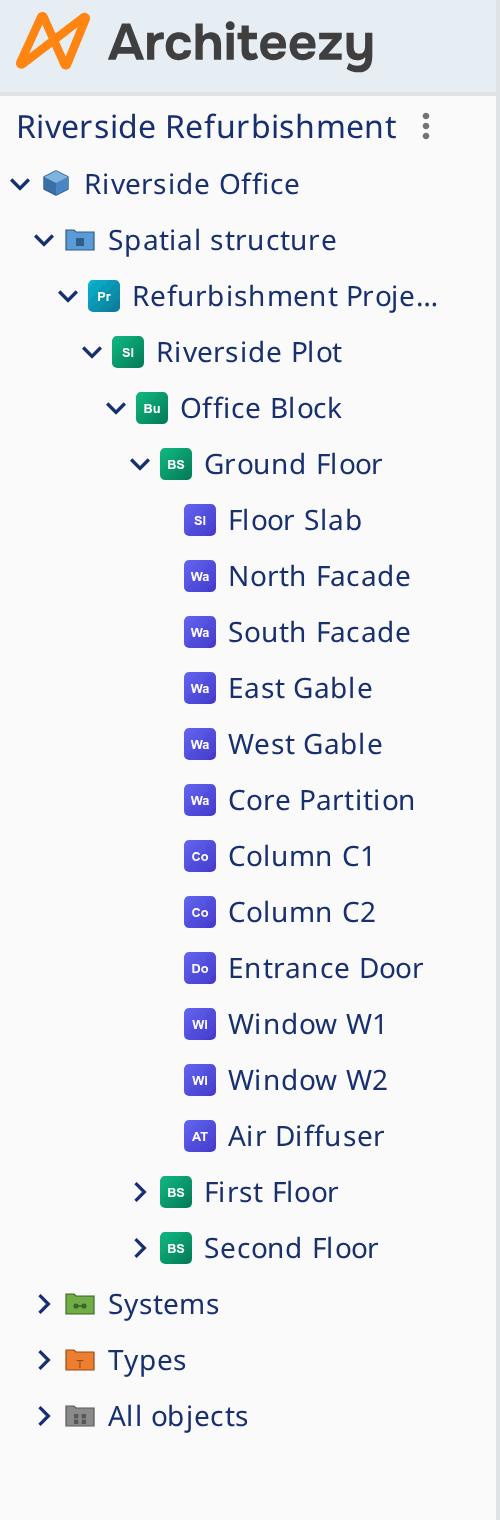
Spatial structure
Expand Spatial structure. The levels nest from the top down:
| Level | Entity | What it holds |
|---|---|---|
| Project | IfcProject | Units, contexts, sites |
| Site | IfcSite | The plot and the buildings on it |
| Building | IfcBuilding | One structure and its storeys |
| Storey | IfcBuildingStorey | One level and the elements placed on it |
| Space | IfcSpace | A room or an enclosed area inside a storey |
Two relationships hold the structure together, and each of them is an object in
its own right. IfcRelAggregates puts a level under the level above, and
IfcRelContainedInSpatialStructure places an element on its storey. Both kinds
are in All objects.
Every object has a GlobalId. It is preserved on import and export and ties a
piece of geometry in the 3D view to its row in the model explorer.
Geometry
Open the BimView representation of the model, and the building is drawn in three dimensions.
- Levels shows the building storey by storey, as a plan.
- Section cuts it along X, Y and Z. The cutting plane is dragged.
- Measure takes the distance between two points.
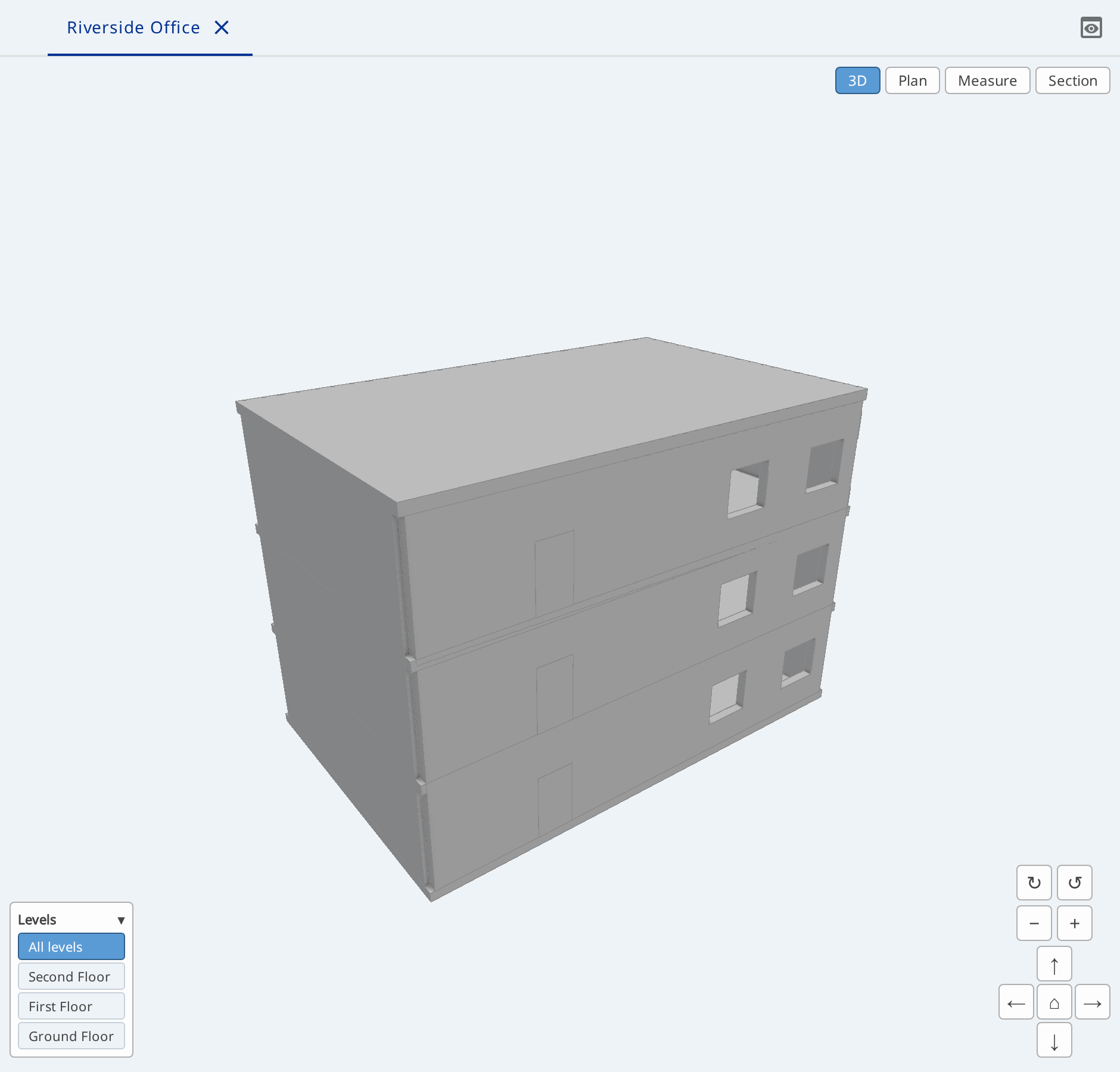
Geometry comes from the file only. A model assembled by hand has none, and the view reports that there is nothing to draw.
Structure without a file
The same structure can be created in the model explorer:
- Right-click Spatial structure and choose New Project. There is nothing else here: a project stands at the top of the structure.
- On the project choose New Site, on the site New Building, on the building New Building Storey.
- On the storey choose New Space and name the room
Reception.
The menu depends on the parent: a building takes storeys only, a space takes
nothing. Every object is created together with the IfcRelAggregates that joins
it to its parent.
Systems are in a different slice: New System is available on the Systems folder.
Validation and export
Select an object, and the form shows its attributes and its references to neighbouring objects. When an object breaks a rule of the schema, a notice appears next to the model and the icon of the object shows the severity.
Download with the format IFC writes the objects, their relationships and
their identifiers back into an .ifc file.