Create a metamodel
Every time you create a new model, you start by choosing its type. This could be a data model, a process model, an IT infrastructure model, a conceptual model, or something else. Each type describes a specific set of objects, along with their attributes and relationships.
For example, in a process model you describe events, actions, and their sequence. In an IT infrastructure model, you describe servers and the applications running on them.
Architeezy comes with built-in modeling notations, and you define your own when none of them fits. The notation built below describes requirements.
Sign in and create a new project (see Quick start).
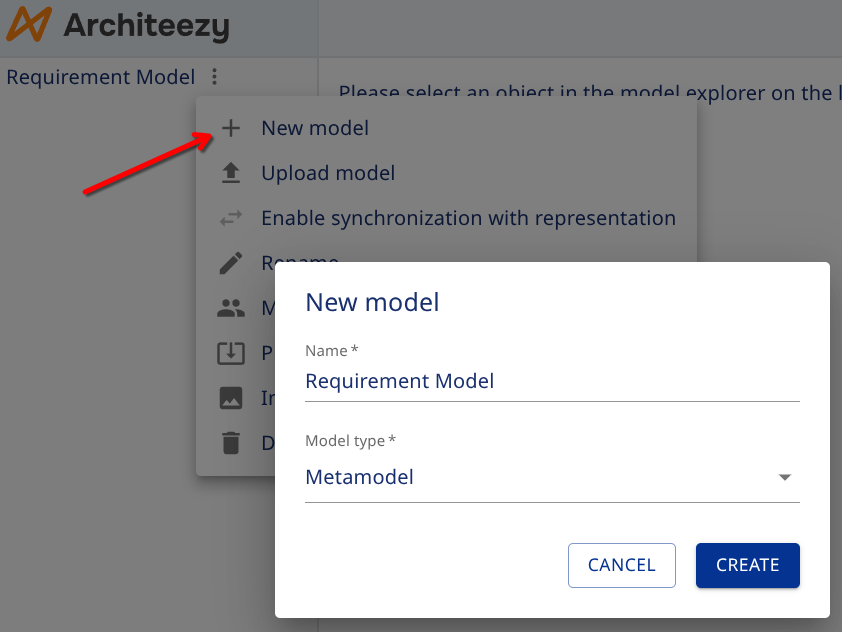
Create a new model and select Metamodel as the type. Name it Requirement Model:
The metamodel already includes a set of base classes:
- NamedElement - an abstract base class with attributes: name, description, localized name, and localized description
- RequirementModel - a model type
- Entity - an entity type
- Relationship - a relationship type between entities
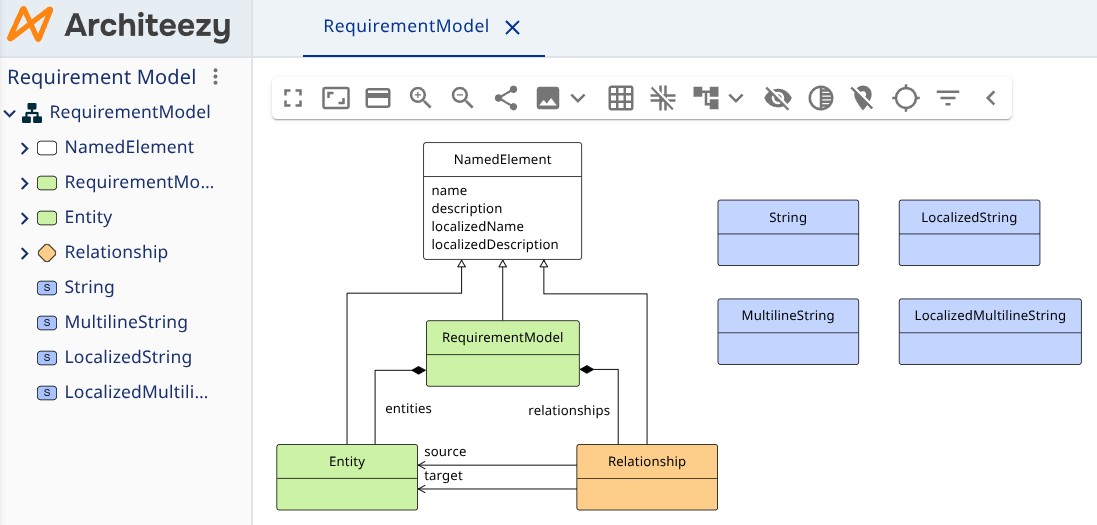
Models, objects, and relationships can all have a name and description. To avoid repeating these attributes in every class, they are defined once in NamedElement, and other classes inherit from it.
Each attribute must have a data type:
- Boolean - true/false values
- Numeric - integer or floating-point values
- String - text, with or without localization support
- Time - date or time values
- UUID - unique identifiers
- Enumerated - a value selected from a predefined list
This metamodel also defines several data types:
- String - single-line text
- MultilineString - multi-line text
- LocalizedString - localized single-line text
- LocalizedMultilineString - localized multi-line text
The types differ in how the attribute is edited in the properties form: multi-line text gets a larger field, and localized text gets one value per language.
Relationships are also objects with their own properties. They have a name and description (inherited from NamedElement), as well as references to a source and a target object.
That covers most of the core elements of a metamodel. The final piece is the composition relationship (shown as a diamond in the diagram above). It indicates that objects and relationships belong to the model - meaning they are created and displayed within the Requirements Model in the model explorer.