Define conditional styles
Make requirements appear differently on the diagram depending on their priority and status.
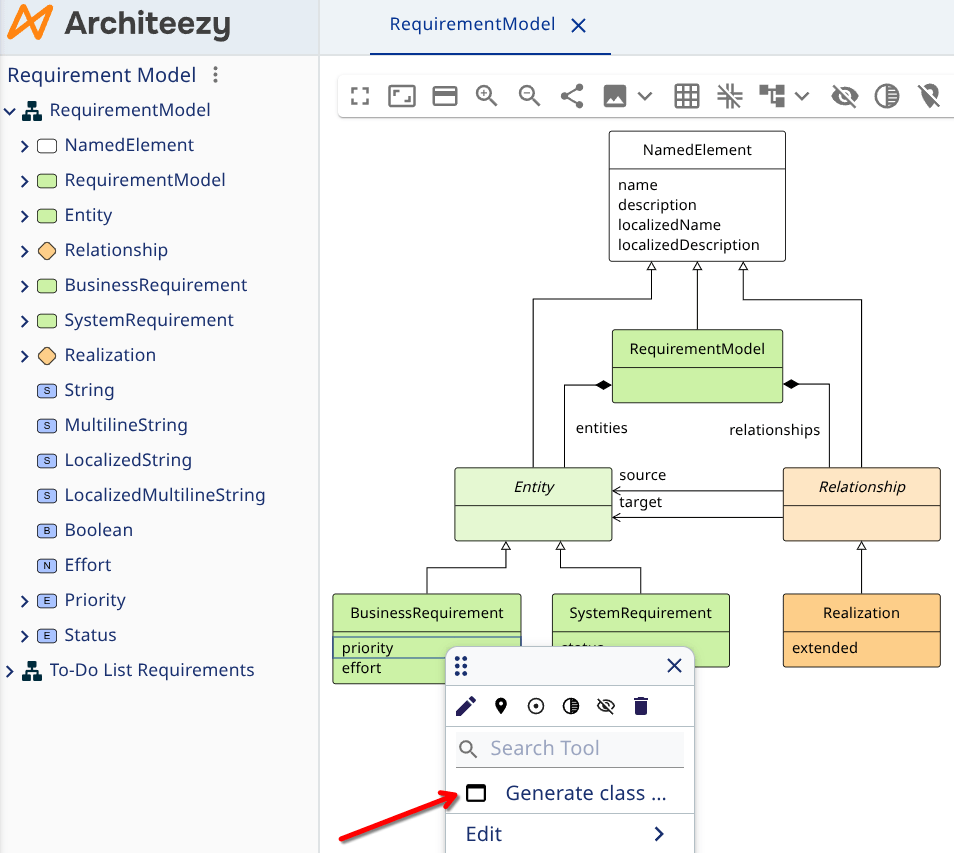
Right-click the priority attribute of business requirements and select Generate class sets from the context menu:
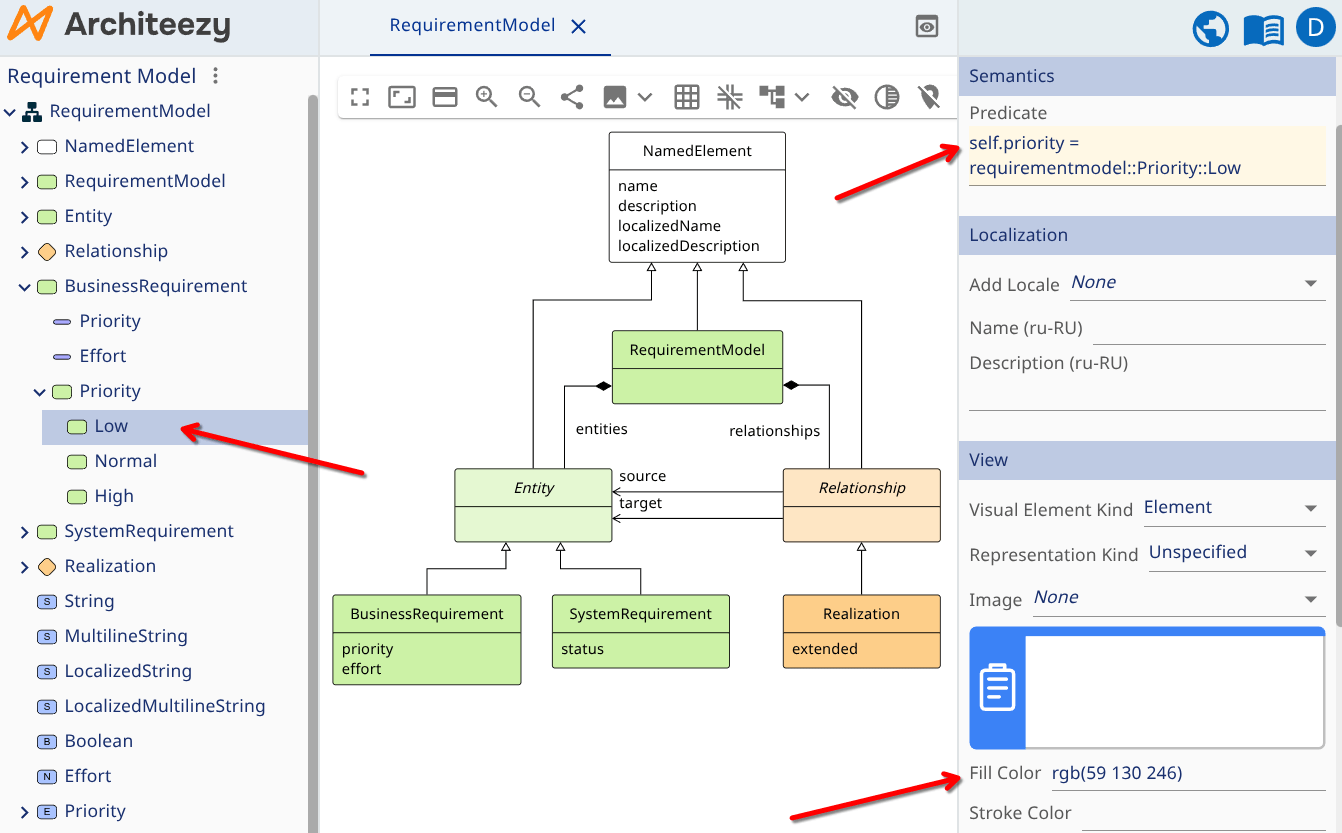
Expand the BusinessRequirement class in the model explorer: inside it a new set of dynamic subclasses called Priority holds three classes - Low, Normal and High:
Dynamic classes separate the essence of an entity from its current state:
- The base class (e.g., Business Requirement, Information System) is fixed. It defines the entity's attributes and allowed relationships and cannot be changed
- Dynamic classes are derived from attribute values or relationships. For example, requirements split by effort: small (up to 40 hours), medium (40-160 hours) and large (over 160 hours)
Use this to highlight the most important elements in a diagram - for example, high-priority requirements with low effort.
Select the Low dynamic class. In the properties form, the Predicate field holds the logical expression that decides which objects belong to the class.
Set colors for different priority levels in the Fill Color field:
- Low -
rgb(59 130 246) - High -
rgb(239 68 68)
The shape preview updates as you type.
In the same way, generate dynamic classes for the status attribute of system requirements and assign the following colors:
- Approved -
rgb(129 140 248) - Implementation -
rgb(245 158 11) - Testing -
rgb(6 182 212) - Completed -
rgb(34 197 94)
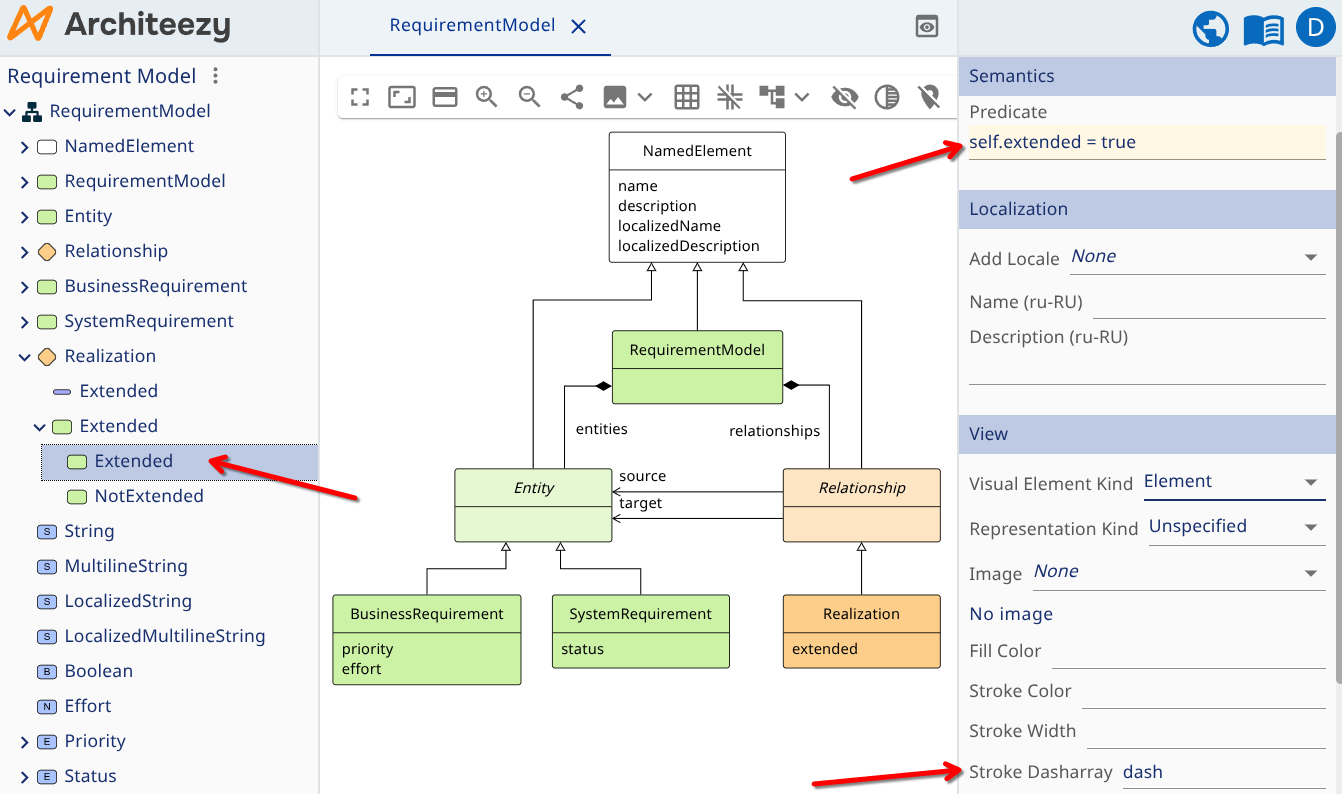
Now configure styles for relationships. Generate dynamic classes for relationships based on the extended attribute. For the class representing extended implementations, set the line style to dash in the Representation section:
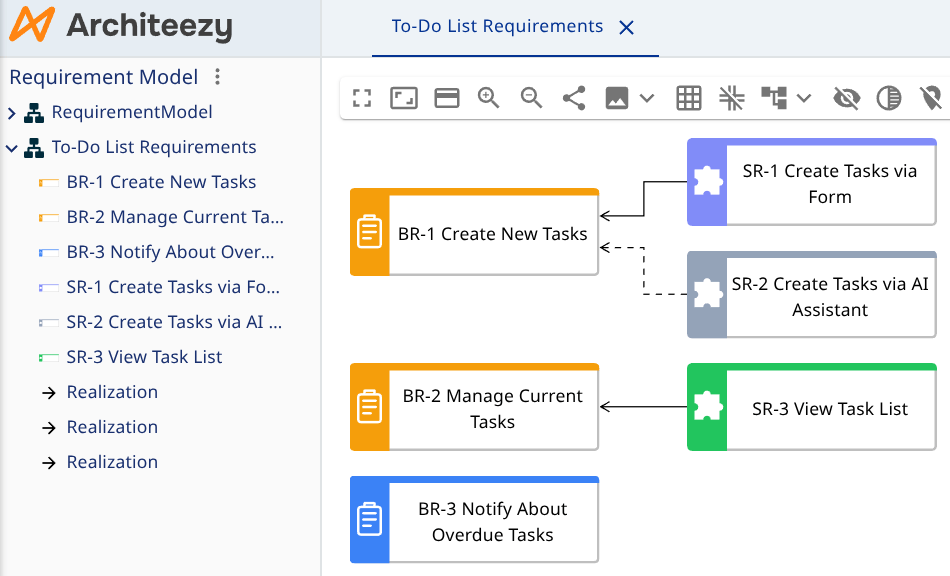
Open your requirements model. Change the priority of any requirement or the type of a relationship, and the styles on the diagram update instantly: