Add new entity and relationship types
The metamodel so far holds only abstract base classes. The requirements notation also needs two kinds of requirement, the relationship between them and the attributes of those classes.
Right-click the diagram and select Entity from the context menu:
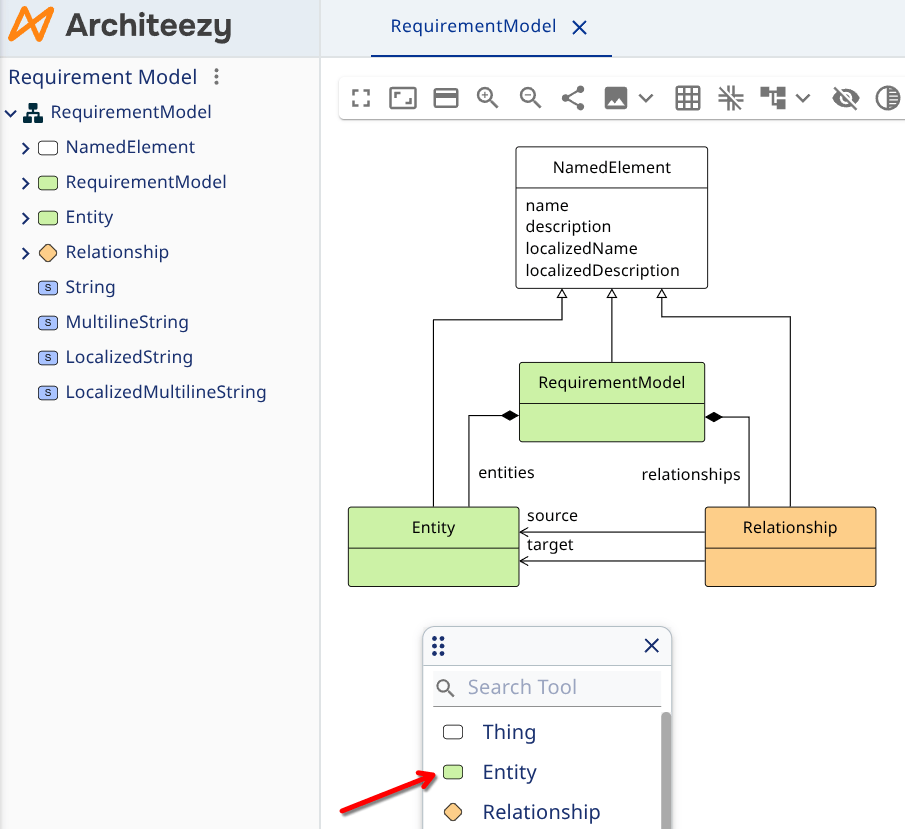
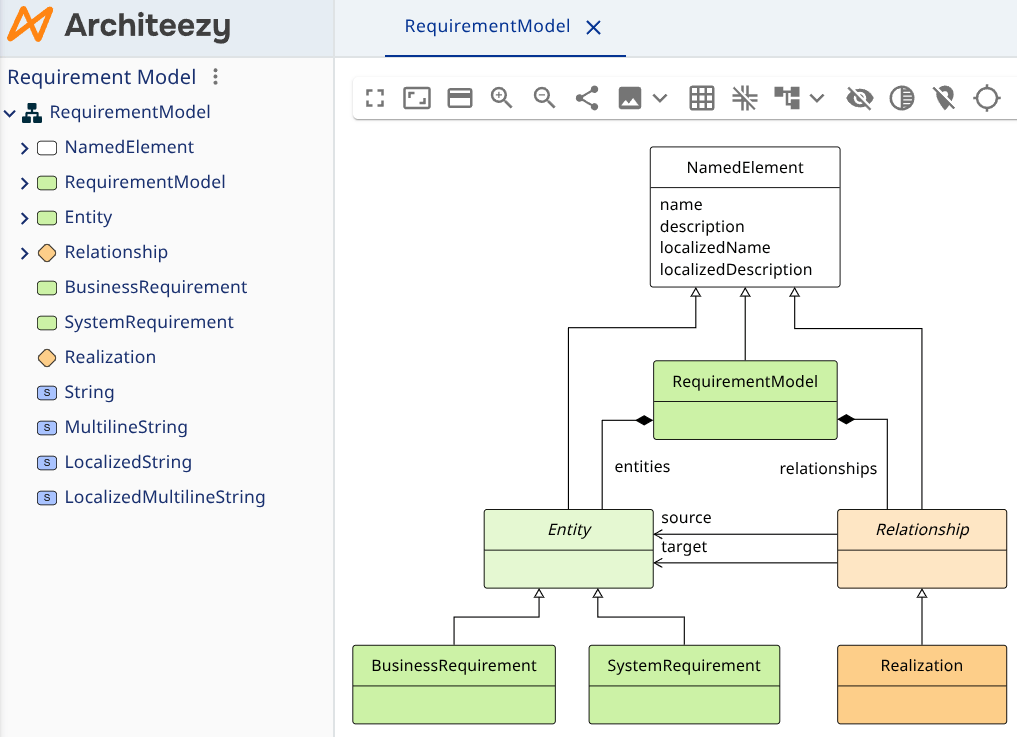
Name the new class BusinessRequirement. Then add another class called SystemRequirement, and a new relationship type called Realization.
Set up inheritance so that:
- BusinessRequirement and SystemRequirement inherit from Entity
- Realization inherits from Relationship
Also mark Entity and Relationship themselves as abstract:
Next, add attributes to your requirements and relationships, either in the model explorer on the left or from the context menu in the diagram editor:
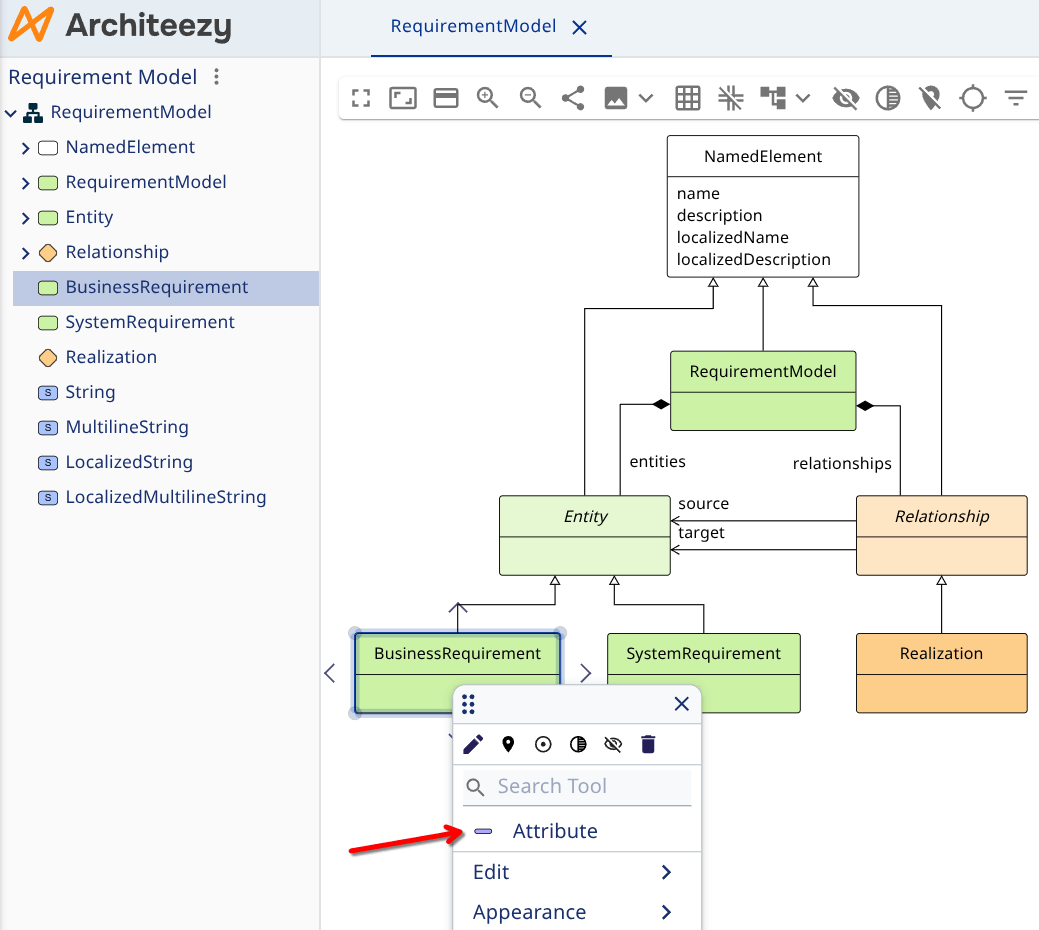
Add the following attributes:
- For BusinessRequirement:
- priority - Low, Normal, High
- effort - estimated implementation effort
- For SystemRequirement:
- status - Draft, Approved, Implementation, Testing, Completed
- For Realization:
- extended - indicates that the implementation goes beyond the minimum scope of the business requirement
At this point the metamodel includes string data types only. Define the types the new attributes need:
- Effort - numeric type for estimating effort
- Priority - enumeration for priority levels
- Status - enumeration for requirement status
- Boolean - boolean type for the extended flag
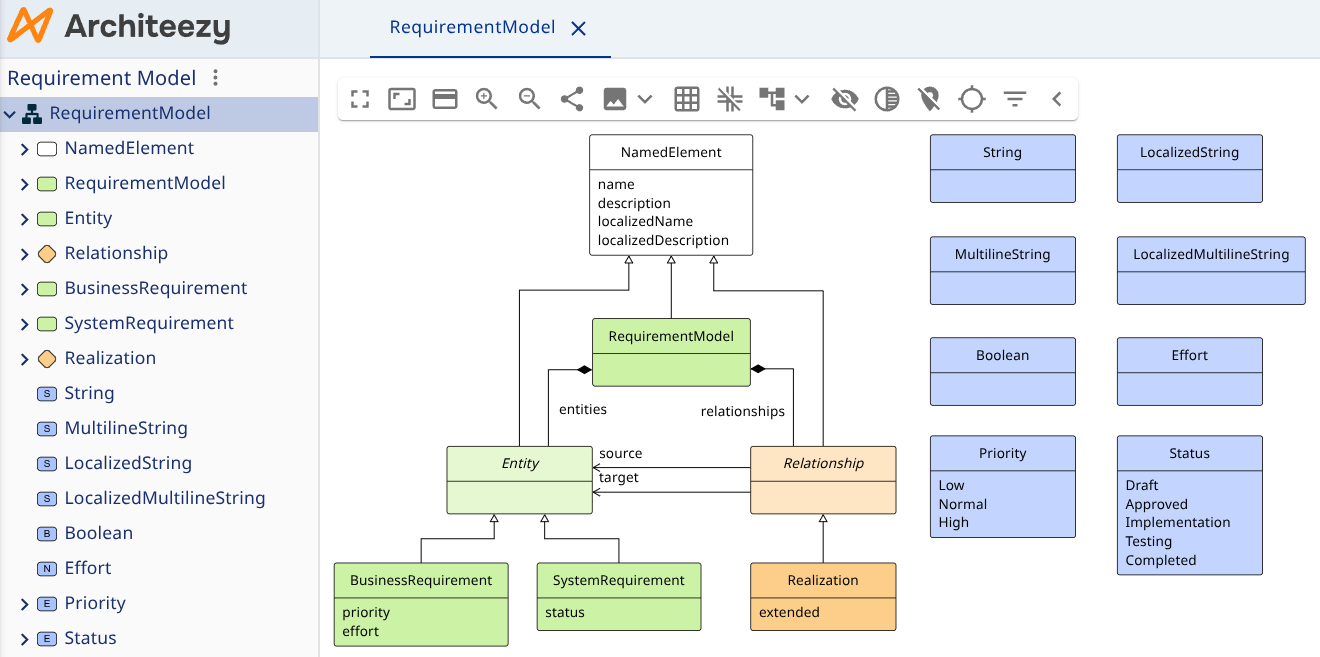
Assign the appropriate data type to each attribute. Localize the names of the new classes and attributes by adding translations for the languages you need.