Import a model from the repository
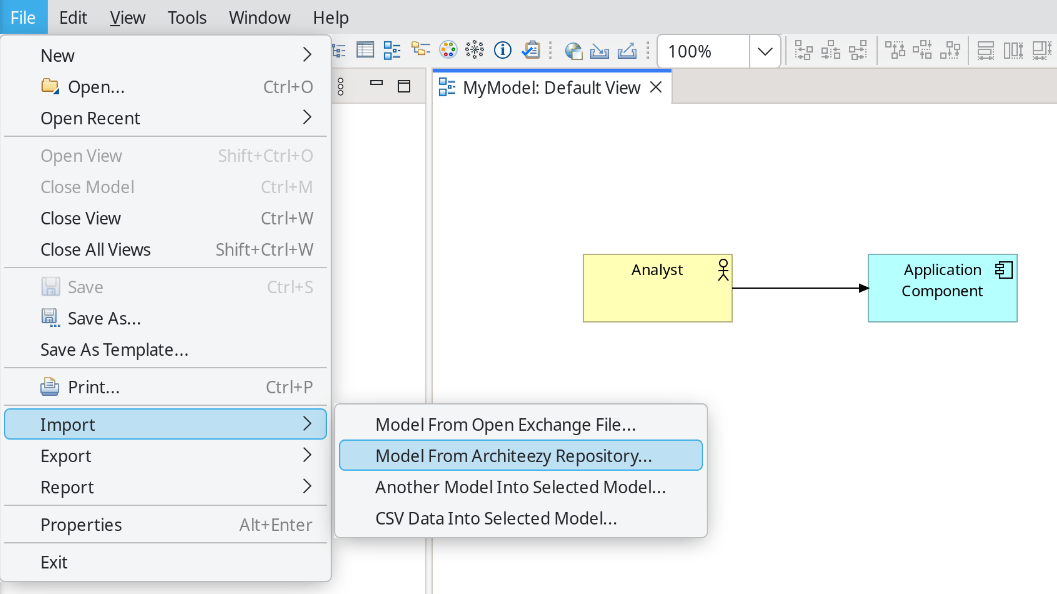
To fetch a model from the repository, select File → Import → Model From Architeezy Repository... in the main menu.
The following dialog appears:
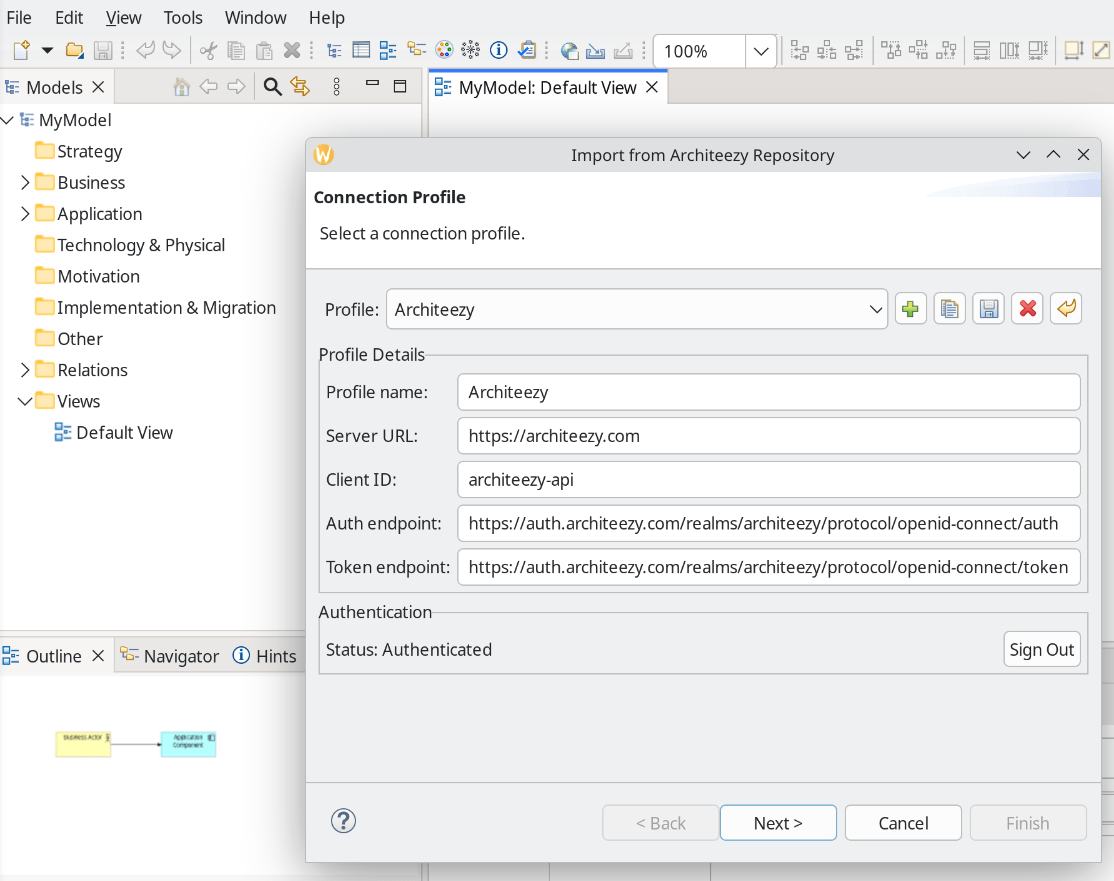
Select the default connection profile or create a new one, for example to connect to a local server (local installation guide).
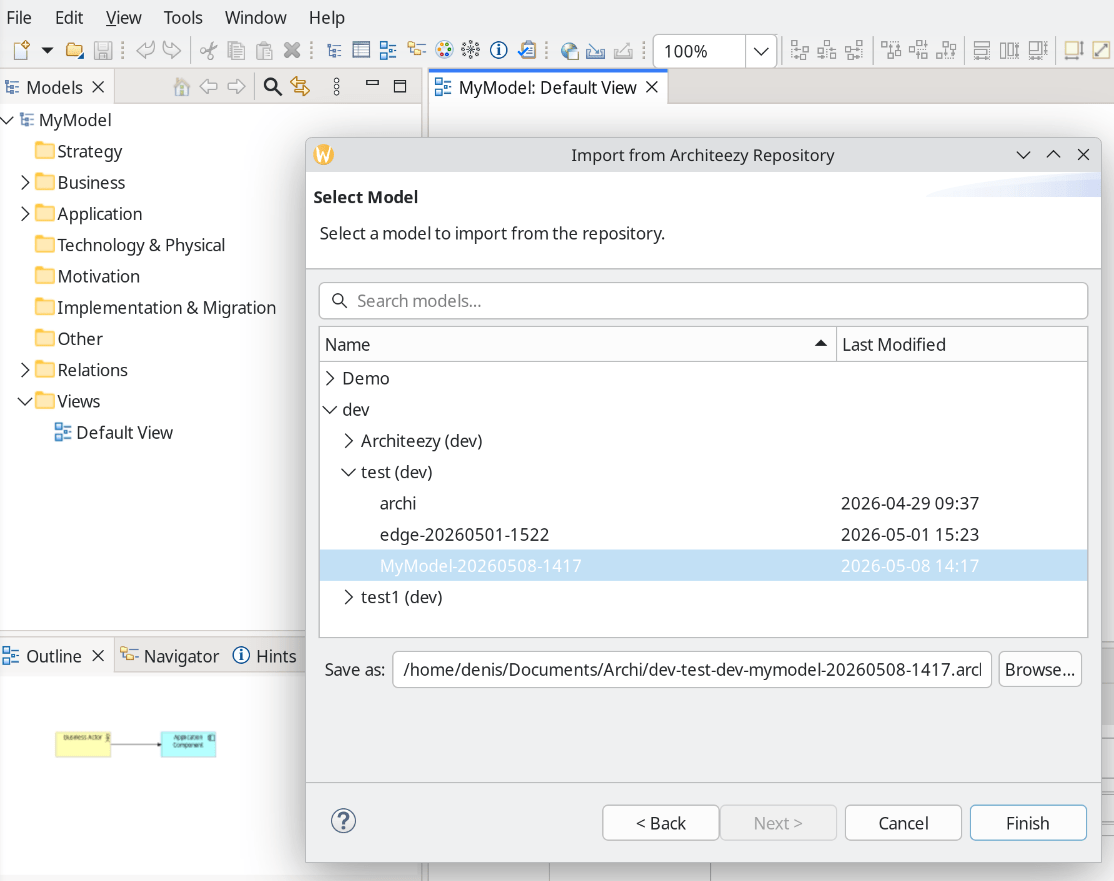
Select a model:
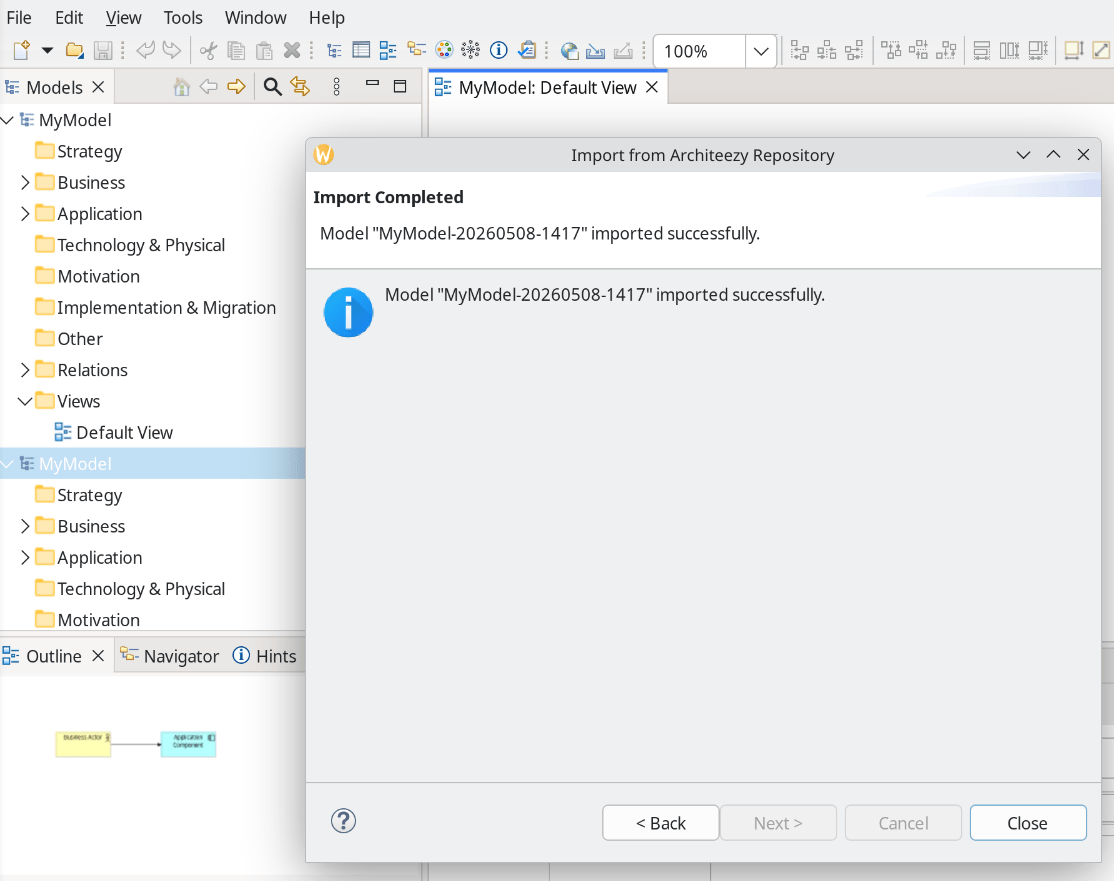
Make sure the import completed successfully: